NesFishy
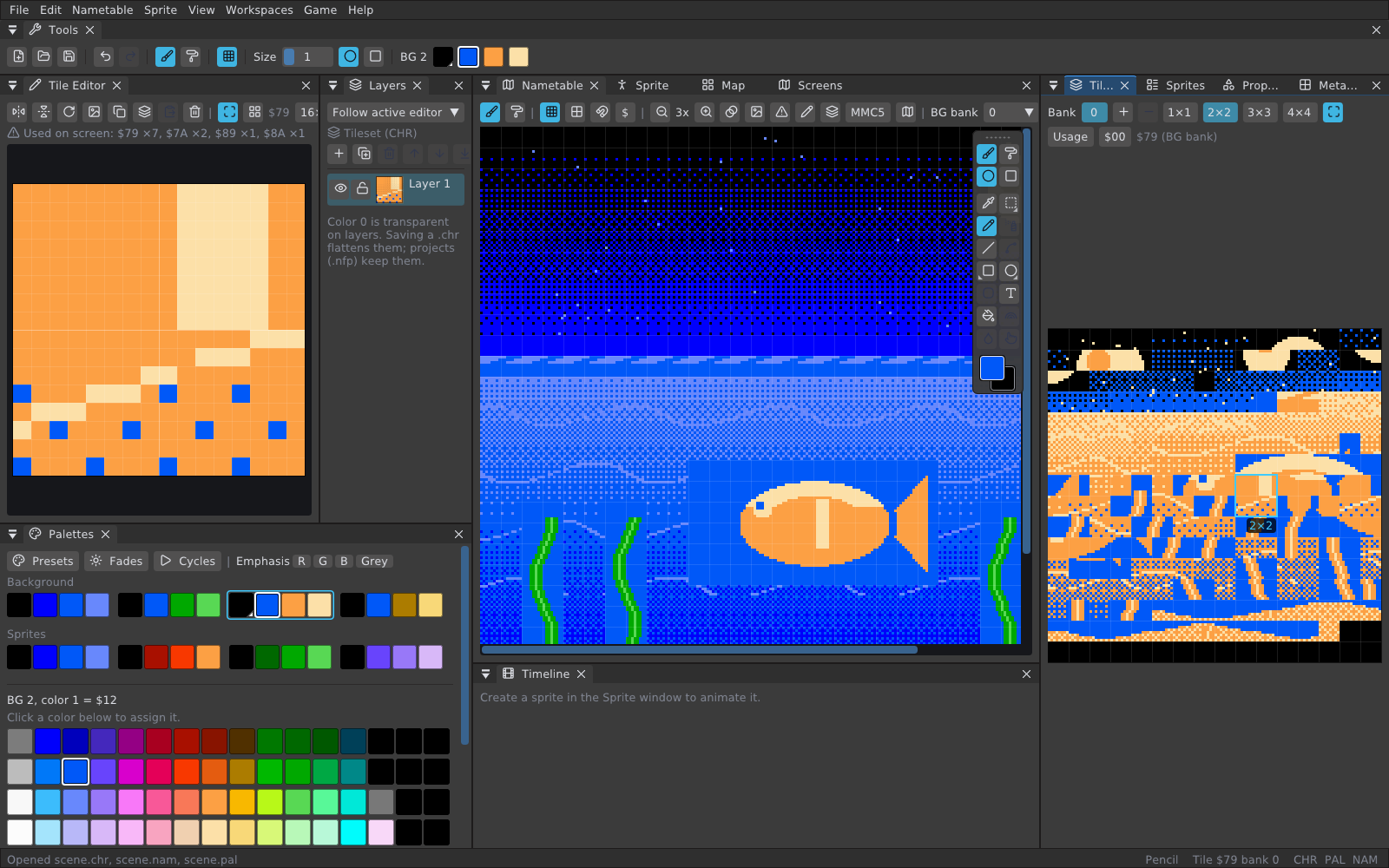
An NES graphics editor for homebrew games. Tiles, nametables, palettes and animated sprites, with the hardware limits built in, and game templates that turn your art into a real .nes ROM.
Features
Everything for NES art, in one place
NesFishy works the way the console does: 8×8 tiles, four-color palettes, 16×16 attribute areas and the 8-sprites-per-line limit. It warns you before the hardware would.
Tiles (CHR)
Up to 64 banks of 256 tiles. Pencil, spray, fill, gradients, lines, curves, shapes, blur, smudge and text, with layers and selections you can move, scale, rotate and distort.
Nametables and maps
Paint tiles and attributes, or paint pixels straight onto the screen and let NesFishy make the tiles. Multi-screen maps, metatiles, auto-tile terrains and object layers.
Palettes
Four background and four sprite palettes from the NES master palette. Presets, a palette list, fades, color cycling, palette swaps and emphasis preview.
Animated sprites
Free-size sprites with layers, a timeline and onion skin, cut into 8×8 or 8×16 hardware sprites automatically, with a per-scanline limit check, hitboxes and attachment points.
Import images
PNG, BMP, GIF, JPEG, TGA and Aseprite files, as sprites or as a whole screen with the palettes and attributes fitted for you.
Export for your code
ca65 / cc65 metasprites and animation tables in neslib format, collision maps, RLE and LZ4 compression, PNG and animated GIF.
Effects preview
Scroll and mirroring preview, split lines, CHR bank animation, scrolling tiles and MMC5 mode, a palette and CHR bank per tile.
Your files
.chr, .pal, .nam, .rle and .lz4, NEXXT sessions and metasprite banks, ROMs you can browse and write CHR back to, and Mesen / FCEUX memory dumps.
Cleanup
Find unused, duplicate and similar tiles, compact banks and catch attribute clashes before they show up on screen.
Your workspace
A dark, dockable interface: float any panel onto another monitor, save workspaces, pick or make a theme, change any shortcut, and undo anything from the history panel.
Make a game
From art to a playable ROM
Pick a game type from the Game menu, set its options, and Build and Run. NesFishy assembles your screens, sprites and objects into a .nes file with cc65 and opens it in Mesen. Each template is plain 6502 assembly in its own folder, so you can read it, change it, or add your own.
- Smooth scrolling sideways, up and down, or both at once.
- MMC3 cartridge for more levels, bank-switched CHR and animated tiles.
- Music and sound effects with the FamiStudio sound engine.
- Mid-screen splits for parallax, wavy water and a status bar.
- A HUD with score, lives, timers and meters.
- Game flow: title, levels, game over and ending screens, with fades.
- Battery saves, a second player and PAL speed correction.
Download
Get NesFishy
Unzip it anywhere and run NesFishy.exe. Nothing is installed; settings, workspaces and themes are saved next to it. The zip includes the game templates and cc65 for building ROMs. To play them, put Mesen next to NesFishy.exe or set its path in Workspaces > Settings.
More from the same pond. Pixel art tools and games at PixelFishy.
Visit pixelfishy.com